Putting AI into a work process: from writing it down to measuring it
Many organisations start with the tool: which app, which subscription, which integration. Then they get stuck on something else: what exactly should the tool do in the work, and how do you tell whether it is going well? This piece walks through five steps from start to finish: write down the real process, know what AI does well and badly, choose per step what AI may do, write a work instruction and try it out, and finally check and measure.
As an example I follow an installation company with a handful of people: Henk, the owner, and Joost, the job planner who prepares the quotes. The company is made up, like the other organisations that pass by (a physiotherapy practice, a bookkeeping office, a haulage firm, a bakery). Work in those trades does go this way, which is why I use them. The numbers are example numbers, not results to expect. At the end of each part there is something you can do yourself the same day.
1. The process in the handbook does not exist

Ask an installation company how a quote comes about and you get the version from the quality handbook. Ask who made last week's quote for that one customer with the bathroom and you get the real story. The request arrived in the owner's mailbox. He forwarded it to Joost. Joost saw there were no photos with it and called the customer. The customer was not home. Two weeks later the customer asked where his quote was.
That second story is the work. The handbook is not wrong, but work adapts to what happens and the handbook does not. The detour through the owner's mailbox, the list only Joost keeps, the phone call that is never written down: that is the process. Put AI into the handbook process and you put it into a process that does not exist.
Process, task, channel
Three words that blur together in practice. A process is a series of steps with a trigger and an outcome that someone needs, and it repeats: handling a quote request. A task is one step of it, done by one person in one go: reading the request. A channel is the route by which work arrives: the mailbox, the phone, the form on the website.
A channel is not a process, and that is the most common mistake. A physiotherapy practice put "the mailbox" at the top of its first list. But that mailbox receives cancellations, questions about reimbursement, referral letters, invoices and job applications. That is five processes with five different outcomes, and what AI may do in one it may not do in another. A rule of thumb that works: name a process with a verb and a thing. Make a quote. Reschedule an appointment. Ask for missing documents. If you cannot, you have probably got hold of a channel or a department.
Draw what happened last week
Pick one process and draw the steps, from trigger to outcome. A step is something one person does in one go. "Make a quote" is not a step, because it contains reading, looking things up, calculating, writing and sending. Next to each step add a column: what goes wrong. Not what the handbook says, but what went wrong last week and the week before. A customer who does not call back. A photo that is too dark. That is where the time goes.
The installation company expected calculating the quote to take most of the time. On the map, two other steps turned out to be the problem: working out what is missing and asking the customer for it. That happened with half of the requests, it went differently every time, and it caused the waiting. Joost had never written down which details he needs for each kind of job. He knew them, which is why things went well for him and just missed for Henk every time.
Sometimes the rows of two people show two ways of working. A day nursery discovered this way that one location phoned parents a week before the first day to go through the child's habits, while the other did it at the door on the first day. You cannot give a process that runs two ways to AI, because which way should it follow? Pick one first.
Keep a log for a week
The planner at a haulage firm was convinced that the route planning cost him two hours every morning. He had an idea for a tool that would propose the planning. After a week of logging, the planning itself turned out to take three quarters of an hour. The rest went on phone calls with drivers about addresses that were wrong, loading times that had shifted, and customers who had not mentioned the gate was at the back. That is a different problem with a different solution: the right information at the moment the order comes in.
The time log is the most boring exercise I know and one of the most useful. For each case you note the step, the minutes (rounded to five), whether you had to wait and for what, and anything unusual. Filling it in at the end of the morning is good enough. Filling in everything from memory at the end of the week is not: then you write down what you think you did.
It gives you two kinds of time. Working time is what someone actually spends on it. Lead time is the time on the calendar from trigger to outcome. At the installation company there were on average eleven working days between request and quote, of which about twenty minutes was working time. The rest was waiting. For the person doing the work, working time counts. For the customer only lead time counts. AI can do something about both, but often more about the second: a draft email that is ready after a minute instead of after three days saves Joost ten minutes and the customer three days. And the log is your baseline. Without it you only know later that it feels faster, and that is no use to you when the result disappoints.
Three caveats. Logging changes the work: people who know they are being measured work a little faster or more carefully. One week is little; for processes that occur fewer than five times a week, log two or three weeks. And the log is not an appraisal. As soon as someone thinks the minutes are there to see who is slow, the numbers get prettier and less true. Show only totals per step, never per person.
At the installation company, the oldest fitter said after the first round that he had never known Joost needed the type plate of the old boiler for a quote, even though he stood right next to it at every call-out. Since then he takes a photo of it. A week later that had already saved Joost three phone calls. Without AI.
To do today: write down the processes you deal with this week, each with a verb and a thing. Pick one that happens often, draw the steps as they went last week and put what went wrong in the last column. Log it for a week in minutes.
2. How certain it sounds says nothing about whether it is right
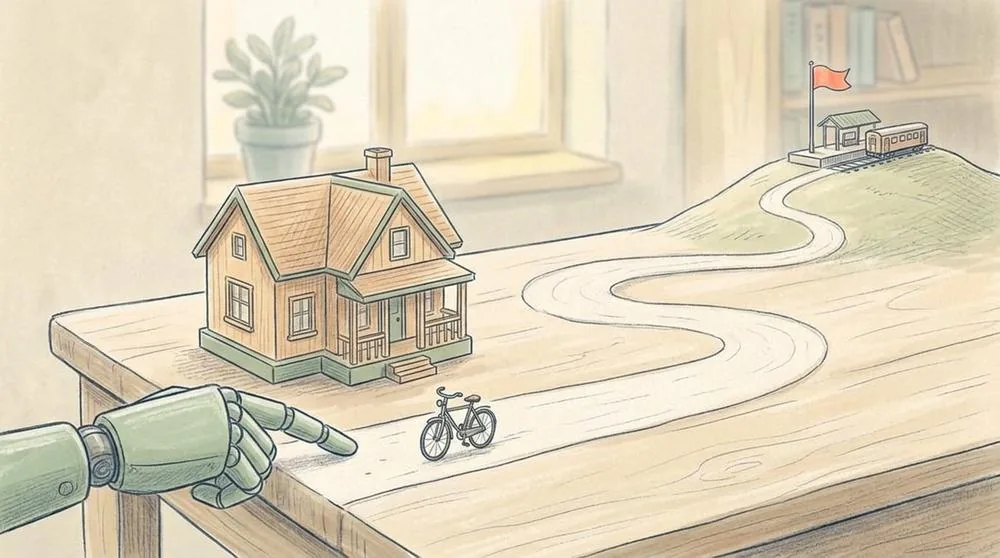
An estate agent has AI write a text for a house that is going on the market. He supplies the features: year built, floor area, number of rooms, the south-facing garden, the new kitchen. The text that comes back is fluent, warm and well organised. And it says the house is within walking distance of the station. He had not given that. The station is twenty minutes away by bike.
That is AI in a nutshell: it is good at language and fills gaps with whatever sounds probable. In a house description "within walking distance of the station" sounds probable, so it goes in. There is no ill will behind it; it simply works that way.
What it does well
In a work process, most of what AI does comes down to seven things: summarising and organising; pulling details out of text, for example the address, the type of job and the make of boiler from a freely written request; sorting into categories (cancellation, question about reimbursement, complaint, referral); comparing against a list, such as checking whether everything on a checklist is present; writing a first version that a person finishes; rewriting in another tone or for another reader; and explaining and thinking along.
Put that list next to the steps of your process. At the installation company, "reading the request" and "working out what is missing" turned out to be extracting details and comparing, and "asking the customer for the missing items" turned out to be writing a first version. For a translator, the whole final check was comparing against a list. That is usually the first sign that a step is promising.
Where it goes wrong
Also with those seven. It invents a fact, an amount, a source or a station within walking distance, and it sounds just as certain as the rest. In running text it often calculates correctly and sometimes just misses. It does not know what you know: your prices, your agreements, the customer who always phones instead of emailing. It is not the same every time. It rarely says it does not know something. It follows the instruction even when the instruction is wrong: ask for three reasons and you get three, even if there are two. And it carries no responsibility. That stays with whoever sends it.
That is no reason not to use it, but it is the reason you keep seeing the same shape: AI makes a proposal and a person decides.
A trial round of half an hour
Reading about invention is different from seeing it happen with a text from your own work. Take a cleaned-up example (name, address, phone and email removed) and give it three instructions: summarise it, pull out the details you need, write a first version of the reply. Then ask a question whose answer is not in the text. Make it calculate something. Ask for more reasons than there are.
The installation company used a request from a customer who wanted to replace his gas boiler with a hybrid heat pump. The first instruction read: list in five lines what the customer wants, say what you still need to know to make a price, and invent nothing that is not there. The answer was ready in five seconds and was correct. It was missing the current boiler make, the location of the boiler, the insulation and the size of the house. Joost had mentioned two of the four himself and thought the other two were fair.
Then came the question whose answer was not in the request: how old is the current boiler and what is its output? Two colleagues asked it, with the same tool and the same text. One got an answer saying that the age and output were not in the request. The other got: "Based on the description it is probably a boiler of around fifteen years old", followed by an output. The customer had written that it was an "old boiler", and the tool had padded that out into a number. Same question, two answers, and one of them invented. That single example did more than half an hour of explanation.
The team kept the trial round in a table with a column "how certain did it sound". Every row said: certain. Including the invented number. Including the draft email that promised "a quote within two days", which is not true. Judge the tool by its tone alone and you judge it wrongly.
What makes the difference
Four things help. Give it everything it needs: the list of what Joost needs for a quote was not in the instruction, so the tool filled something in itself. Say what it must not do: "invent nothing that is not there" helps, but it is no guarantee, as you will see in part 4. Ask where it got it from: "for each point, quote the sentence from the request you took it from" makes an invented point visible, because there is no sentence to quote. And ask for a fixed format: a list with fixed headings is easier to check than a block of text.
In almost every group there is someone who would rather not try it: on principle, out of fear for their job, or because they tried it once and found it useless. Let them write down what happens. A sceptic is the first to see the invented number.
To do today: take a piece from your work, remove the personal data, and ask a question whose answer is not in it. See whether it says it is not there. Write down how certain it sounded. Do it twice: you will see it is not the same every time.
3. May we use AI? That question has no answer

You cannot answer the question "may we use AI?". The question "may AI list what is missing at step 4 of our quote process?" you can answer, usually in five minutes. That is why you choose per step and not per process. Every process has steps where AI may do something without objection, steps where it may prepare something that a person finishes, and steps where it has no business at all. A traffic-light map puts those three side by side, for every step of the process you drew.
Three colours
Green: AI does it. The result is used without a person reading it every time; a person checks with a sample. Green is for steps that stay internal, are easy to undo, and where a mistake is quickly noticed.
Orange: AI prepares, a person decides. AI delivers a draft, a list or a sorting. A person reads it, adjusts it and carries out the step themselves. Orange is the colour of most of the work in a first process, and that is fine.
Red: AI does nothing. Not in this step, not now. Red is not a verdict on AI but a choice about this step: the risk is too big, the data too sensitive, the judgement too personal, or the person prefers to do it themselves for a reason that matters.
Start strict. What you loosen later feels like progress. What you have to tighten later feels like an accident.
Five questions per step
They are there to focus the conversation, not to calculate a score.
- Can it be undone? A wrongly sorted email you put back in another folder. A sent email you cannot take back.
- Does it go outside? What a customer or supplier sees speaks on your behalf.
- What data goes in? No personal data, ordinary personal data, or sensitive data such as health and finances.
- Does it call for a judgement someone stands behind? A technical recommendation, a medical assessment, a decision about a person. A judgement can be prepared. Whoever stands behind it has to make it themselves.
- What does a mistake cost, and do you notice it in time? A mistake that shows up by itself at the next step is cheap. One that only emerges when the customer calls is expensive.
And a sixth you should not skip: does the person who does it now want to keep doing it themselves, and why? The fitter who calls after a repair to check everything works again does not do it because it is efficient. It is the contact with the customer. That is a valid reason for red, and it is good that it is said out loud.
Rules of thumb: internal, reversible and a mistake is quickly noticed is usually green. If it goes outside, it is orange: a person reads it and sends it. If it contains a judgement someone stands behind, preparing is orange and the judgement itself stays with the person. Sensitive data and no agreements yet about the tool: red. A decision about a person, such as a job applicant: red. When in doubt, choose the strictest colour and write down the question that is still open. That way nobody has to be proved right to move on, and the question comes back when more is known.
What the organisations coloured
The installation company made "reading the request" and "working out what is missing" green, the email to the customer orange, and the price red. Henk first thought AI could propose the price too. Joost showed him three quotes from last month where the price differed from the price list, for reasons written down nowhere: a customer with a hard-to-reach loft, a customer who had been buying maintenance for ten years. That judgement stayed with Henk.
The bookkeeping office coloured a step red that nobody had expected: judging whether a document is the right document. A client sends an annual statement for the wrong year, or a property valuation notice for another address. A person sees that at a glance, and a mistake there ends up in the tax return. The tool may report that a document has arrived. Whether it is the right one, an employee checks.
The physiotherapy practice made the map twice. The first time for record keeping, the process that takes the most time: an hour per therapist per day. The map turned almost entirely red. It is health data, the patient file is held by a supplier with its own contract, and nobody knew whether the tool a therapist used at home had an agreement for that. Red, with the question attached. The second time they did "answering a general question in the practice mailbox". That took twenty minutes: sorting the email and looking up the answer in the question-and-answer list became green, the draft answer orange, passing a medical question or complaint on to a therapist red, and reading and sending the answer stayed with the person. The open question from the first map turned out to be the most important: may an email from a patient, with name, email address and often something about the complaint, go to an AI tool? That depends on which tool and under what contract. Until they knew, they worked with emails from which the front-desk employee had removed the name and everything about the complaint. That is cumbersome, and it is the right order: first know what happens to the data, then real emails.
Which process first?
The first process is not the one with the most to gain. It is the process you learn how it works with, with as little risk as possible and an outcome you can measure. The physiotherapy practice did not start with record keeping, however much time was in it. Whoever starts there spends all their time on the question of whether it is allowed and never gets to the question of whether it works.
A good first process occurs often, noticeably costs time or causes noticeable waiting, is well bounded, has little at stake if it goes wrong, has clear data, and has an owner: someone who wants to do it and is responsible for it. That last one overrides all the others. At the bookkeeping office, the internal knowledge questions scored well on risk and data, but nobody wanted to be the owner. Everyone found them useful and nobody found them urgent. They chose asking for and reminding about missing documents, with an employee as owner. Choose someone who does the process themselves: a manager who does not carry it out does not know what goes wrong at step 4. Count on an hour or two a week in the weeks of trial runs and measuring.
Also write down when it has succeeded and when you stop, in two sentences, before you start. Describe success with something you can count: "lead time falls from eleven to five working days". "It is faster" is not a criterion; whoever only decides after three weeks what success is will always find something that worked. Stopping is the hardest thing to write down and therefore the most important: after three weeks checking the emails costs more time than writing them yourself, or a document is requested that the customer had already sent. Then stopping is not a defeat but an agreement you keep.
To do today: give every step of your drawn process a colour and write a few words on why for orange and red. Have a colleague do the same and compare. Where you differ, choose the strictest colour and write down the question.
4. Write down what a temp needs to know on Monday
Suppose a temp starts on Monday who has to take over your process. Smart, quick, good with language, and with no knowledge of your company. You have ten minutes to explain on paper what he has to do. What do you write?
That paper is the work instruction: the text an AI tool receives with every case. It hardly differs from what you would write for that temp. The difference is that after a week the temp starts to understand what you meant, and the tool does not. It starts from scratch every time, with only what is on paper. Whatever you leave out, it fills in with whatever sounds probable.
Writing it down is half the work
Joost started on the instruction and got stuck after five minutes on the question of what the tool needs to know. To say what is missing from a request, you need to know what each type of job requires. That was written down nowhere. It was in his head, and it differed per job: for a boiler replacement the type plate and the location of the boiler, for a heat pump also the insulation and the year the house was built, for a bathroom the measurements and photos of the drain.
Writing it down took him three quarters of an hour and produced a table of six types of job with four to eight details per type. That table turned out to be valuable even without AI. Henk could now pick up a request without phoning Joost. The web form got three extra questions. The oldest fitter took a photo of the table to keep in the van. That happens in almost every team: the instruction forces you to write down knowledge that so far lived in someone's head. Expect it to take longer than you think, and to be worth the time.
Eight parts
- Task and goal: what should it do and who is the result for? One or two sentences.
- What you receive: what input, in what form?
- What you need to know: the list, the rules, the agreements. Usually the longest part, and the part that makes the difference.
- Steps: in what order, short and numbered.
- Always and never: always name the source, address the customer formally; never invent anything, never state a price or a deadline.
- The shape of the result: fixed headings in a fixed order. The more fixed the shape, the easier it is to check.
- When in doubt: say that it doubts and about what, instead of guessing.
- An example: one cleaned-up case with the result as you want to see it.
At the top you put three things that have nothing to do with the tool and everything to do with keeping track: the version, the date and the owner. Every change gets a new version and one line about what changed.
The start of the installation company's instruction read: "You help the job planner of an installation company. You read a quote request from a customer and prepare what he needs to make a price. You do not make a price yourself, name no deadline and give no technical advice. Use only what is in the request and, for every detail, quote the sentence you took it from." Then came the table, four fixed headings (type of job, what the customer wants, present and missing, draft email), a heading DOUBT for what it is not sure about, and the example.
The bookkeeping office put under "always and never": name every document as the customer knows it, with who sends it and what it looks like. So not "annual statement" but "the overview you received from your employer, with annual statement or annual overview at the top". The reason was the phone calls from customers who did not recognise the technical term. The physiotherapy practice gave the tool the question-and-answer list the practice manager had kept for years and that nobody used because it was out of date; it was brought up to date. With it came the rule: only answer questions whose answer is in the list. If the question is about complaints, pain, treatment or a diagnosis, do not write an answer but put PASS ON at the top, with the reason.
Five mistakes almost everyone makes
The instruction is too short. "Read this request and say what is missing" is a question, not an instruction, and the tool then decides for itself what "missing" means. The knowledge is in the example and nowhere else: the tool then learns to imitate the example, including the things that were there by chance. Put the rule in part 3 and the example in part 8. The instruction says what must be done but not what must not, whereas part 5 is exactly what protects against a promised deadline or an invented detail. Two versions are in circulation at once; there is one version, in one place, and the owner updates it. And wanting everything at once: an instruction that reads the request, estimates the price, proposes the planning and writes the email does four things halfway.
Trying it out is comparing
An instruction that looks good on paper has proved nothing yet. Collect ten real cases and keep two things for each: what came in and what you did with it. Run them through the tool and for each case put side by side what it proposes and what you did yourselves. Give each case a verdict: good, adjust, wrong (it says something that is not true) or missed (something is missing that you did see). For wrong and missed, write down whether you can prevent it with the instruction. First read what the tool produced and only then say what you did: whoever knows the customer wanted a bathroom overlooks that nothing is said about the drain.
Three rules apply from the first trial. Only cleaned-up cases go into the tool as long as it is not settled what happens to the data. Nothing goes outside unread, even if it looks perfect. And you keep what went in and what came out, without personal data, so that afterwards you can see why something went wrong.
The rule that is skipped most: change one thing per version and then run all the cases again, not just the ones that went wrong. A change that repairs one case can break another.
At the installation company it went like this with nine cases (the tenth was the example). Version 1 gave four good, one adjust, two wrong and two missed. The meter cupboard was not in the table. The email was fourteen lines long. One email promised "a quote within two weeks". For a request for a heat pump and a bathroom, the second job was missing. Version 2 completed the table and capped the email at eight lines. Version 3 removed from the example the sentence with "within two weeks": the tool had copied it literally. That version also got the rule: if there are several jobs, name them all. Result: seven good, one adjust, one wrong.
The one mistake remained: the boiler "older than 15 years" that nobody had mentioned. The rule "never fill in a detail that is not in the request" was already there, and when run repeatedly it went right one time and wrong the next. You make a mistake like that smaller with the instruction, but you do not get it out. That is what the check is for, and the last part is about that.
When is the trial good enough?
Not when everything is good: that rarely happens, and when it does the cases were too easy. The trial is good enough to continue when most cases are good or adjustable, you know for each mistake where it comes from, and the mistakes that remain would be noticed by the check you plan to use. A mistake you see is a correction. A mistake you do not see goes to the customer.
If the process does not fit, you notice that too. A municipality had incoming applications for an event permit sorted. After four versions it kept going wrong: the applications differed too much from each other and the sorting rules turned out not to be clear themselves. They stopped the trial, first rewrote the rules and started again a month later. That is not a failure: the stopping criterion did its job.
After the ten old cases comes shadow running: for two weeks the tool runs alongside every new case while the work goes as always. At the end of the day you lay them side by side. Ten selected cases are something different from what arrives in an ordinary week: whoever selects them chooses unconsciously. In the shadow weeks everything comes by: the request in English, the customer who sends three emails about the same thing, the forwarded email with five earlier emails underneath. Twenty to thirty cases is enough.
To do today: write out part 3: what does someone need to know to do this process well? Start from the "what goes wrong" column of your process steps. Every recurring problem is a rule that has to go in. Then have someone who does not do the process read the text aloud and ask after each part: would a temp understand this?
5. Checking without redoing everything, measuring without counting yourself rich
There are two ways to make checking AI work fail, and they lie on either side of what you want.
The first is redoing everything. Joost reads the proposal, and because he does not quite trust it he then reads the whole request again, walks through the table himself and rewrites the email in his own words. Then he has done the work twice and the tool has only cost time. In the first weeks that is understandable. If it is still like that after a month, the process yields nothing and disappears.
The second is no longer checking anything. After three weeks in which every proposal was right, people stop reading and just glance. The email looks good, so it goes out. Whoever has seen something good twenty times expects nothing else at the twenty-first. But at the twenty-first the tool is just as unpredictable as at the first. Checking is knowing where to look.
First: who takes it over?
Where AI takes over a step, a new handover appears, and that is where processes most often stall. The result sits somewhere, but nobody looks. Or two people look and both think the other sends it. Four questions per handover: where does the result end up (one place everyone knows)? Who takes it over, and who if that person is away ("the team" is not an answer, because then nobody takes it over)? When (a result that sits for three days has not shortened the lead time)? And what is recorded: that there was a proposal, which version of the instruction applied, and what the person did with it: accepted, adjusted or rejected.
On top of that, a question answered separately: who presses send? In a first process the answer is always the same: a person, with their own name under the email. Whoever presses send is responsible for what is in it and knows it. That changes how it is read. An email that "was ready anyway" is read differently from an email you sign.
Check points from your own mistakes
A check point is one thing you walk through with every result, in a few seconds. Three to five per step is enough. They come from the mistakes in the trial and from the "never" rules of the instruction. At the installation company there were four:
- Is there a source sentence with every detail marked present? A detail without a source sentence is suspect.
- Does the email mention a price, a deadline or a make?
- Is the request about more than one job, and are they all there?
- Is there anything under DOUBT? Then I read the request myself.
That costs half a minute per request and it catches every mistake that occurred in the trial. The fourth point is the smartest: the tool itself reports when it doubts, and exactly there Joost does the work again. The tool does the ordinary cases, the person the difficult ones, and the tool helps decide which are which.
A sample for what nobody reads
An orange step is always read by a person, because they make the decision. A green step nobody reads by default. There you check with a sample: a fixed share of the cases is checked as if it were an orange step. A rule of thumb that works is one in five the first month, then one in ten, and always all cases of a kind where you know it goes wrong. Do not choose the cases yourself, because then you pick the easy or the interesting ones. Take every fifth case, or let chance decide.
At the bookkeeping office an employee checked two clients every morning: the first on the list and one pointed out by a die. In three weeks she found one mistake. A client had sent two annual statements from the same employer, and the tool had counted them as two employers. The checklist got a rule: count the employers on last year's return.
A known mistake in the pile
A check that never finds anything can mean two things: nothing goes wrong, or the check does not work. You do not know which, until you test it. So every now and then put a case in the pile with a mistake you know. A request in which the tool invented a detail during the trial. A file with a document from the wrong year. Do it once every two weeks in the first months. Tell the person checking that it happens, not when. It is a test of the check, not of the person.
A school had the tool go through timetables for double bookings of rooms and teachers. Every two weeks the timetabler planted a conflict he knew about. The first two times it was found. The third time it was not: the timetable had grown longer and the tool no longer read the last part. Without that test it would only have been noticed when two classes were standing outside the same room. Since then the tool gets the timetable per week instead of per term.
The error log
Every mistake found goes into a log: found by the check, by a colleague or by a customer. Also the small ones. Also those of the person. It is not a blame list but the source for a monthly round. For each mistake note what went wrong, who found it, the severity (low: found before it mattered; medium: the customer or a colleague noticed; high: it could have done damage) and the cause: the tool, the instruction, the input or the person. That distinction matters, because every cause calls for a different fix.
In the first three weeks of the installation company there were four lines in the log. The invented boiler age, low. A request about a gutter that no type fitted, low. An email to a customer with the name of another customer in it, high, and the cause was the person: two windows were open. And photos the tool had not been given, medium, because the customer called. The worst incident had nothing to do with AI. It came up because someone wrote everything down. The working method that came out of it: one request at a time.
Also agree beforehand what happens with a mistake of severity high: the step goes one colour stricter until the owner has looked. Green becomes orange, orange becomes handwork. That is not punishment but an emergency brake you agree in advance, so that nobody has to decide in the moment whether it is serious enough.
Measuring: the difference between an impression and a decision
A bakery had AI estimate the Saturday orders. Until then the baker decided every Friday by feel how much of each loaf to bake. After six weeks someone asked whether it brought anything. The baker said it helped a bit, I think. His wife said they still threw away just as much. Neither could show it, because nobody had written down how much was thrown away before those six weeks and what time the bread sold out. The bakery started again and counted two things every Saturday: how many loaves were left over and what time the first loaf sold out. First four Saturdays without the tool, then four with. Then they had an answer.
You measure the process before and after, in the same way. The before is the time log from the first part. The after you measure for three weeks with the same log, per case, in minutes. Whoever estimated the before and measured the after is comparing two different things. Measure five kinds of numbers: working time per case including the check, lead time, quality (mistakes, customers calling back, how often something had to be redone), take-up (how many proposals were accepted, adjusted or rejected) and what it costs, including the owner's time. Plus a sixth that is not a number: ask everyone who works with it for a mark from 1 to 5 for "do you prefer working this way or the way it was", with a sentence on why.
Reading an outcome honestly
The installation company's measurement card (example numbers, not results to expect):
- Working time per request, including the check: before 19 minutes, after three weeks 9 minutes
- Lead time from request to quote: before 11 working days, after three weeks 7 working days
- Customer asked twice for something: before 9 of 34, after three weeks 6 of 97
- Proposals accepted / adjusted / rejected: after three weeks 61 / 29 / 7
- Owner's time: after three weeks about 1.5 hours per week
The criterion they had written down beforehand was: lead time falls from eleven to five working days. That was not reached. Seven is better than eleven, but it is not five.
Three things stand out. Working time has halved, and that already includes the check: ten minutes less per request, at just over thirty requests a week five hours, of which an hour and a half of the owner's time comes off. Three and a half hours remain and they go to the backlog. Lead time fell less than hoped, and when the team looked at why, the waiting was no longer with Joost but at the point of entry: requests that came in through Henk's mailbox still sat there for a few days. That is not an AI problem. From then on Henk had his requests forwarded automatically to a shared mailbox, and in the monthly round after that the lead time was five working days. And fewer customers were asked twice for something, because the email now asks for everything that is missing and not for whatever Joost happened to think of at that moment. Nobody had counted on that, and it is probably the gain the customer notices most.
Counting honestly
Count the check. If you only count the time of reading and not the checking, the adjusting and doing the difficult cases yourself, it looks better than it is. Count the owner: keeping a process up to date also costs time in months when it simply runs. Three weeks is short: everyone pays extra attention and the new way is not yet normal, so repeat the measurement after three months. Compare with your own criterion, not with percentages you read somewhere. They are about other processes and other ways of measuring.
And a bad outcome is also an outcome. At the bookkeeping office the lead time fell considerably, but the working time hardly: the employees spent almost as much time reading and adjusting as they had before spent writing. The checklist did not fit for entrepreneurs with their own home, and the emails for that group almost all had to be rewritten. After an adjustment it went better, and for one client group they decided simply to keep writing the emails themselves. That is what measuring should deliver: not a number to show, but the place where it does not work.
To do today: for your own process, write down three check points, from the mistakes you already know. Choose one green step and agree a sample with a fixed rule for which case you check. Set up an error log with four columns: what, who found it, severity, cause. And write down the two sentences you will reread in three weeks: when has it succeeded, and when do we stop.
In closing
There is no tool in this piece, and that is on purpose. Whoever knows the process, has chosen a colour per step, has written an instruction a temp would understand, and has written down beforehand when it has succeeded, can get started with almost any tool. Whoever has not will find the same problems in every tool.
Would you like to do this not alone but together with me in your own organisation? That is possible with an Expert Day.
See also
One process, one task: how to choose where AI begins
The question many organisations start with when it comes to AI is: "What can it do?" The answer is almost everything. That is why it so often stays at a presentation, a trial account and a good conversation, while…
The notice period nobody saw coming
The most persistent loss in an organisation is rarely dramatic. It is a contract that quietly renews for another year because the notice period fell three months before the end date and nobody knew.
Two hundred and fifty euros and nothing more: an agent's starting capital
My agents can now spend real money. One simple rule comes with it: every agent with a good idea gets 250 euros of starting capital, in total, and nothing more.